Block Printing
- Started
- August 2026
- Status
- in progress
- Stack
- Swift, SwiftUI, Clipper2, earcut
- Printer
- Bambu Lab P2S
- Built with
- Parlay and Claude Code
Why
I like carving. It is a meditative process and I enjoy doing it by hand. It also takes a lot of time and effort, and a multi-colour print multiplies both: every colour is another block, carved to line up with the rest.
But the goal was to share the art, and the carving just got in the way between the idea and the final result. A 3D printer can make the block instead, but getting from a drawing to a printable mesh means a chain of CAD tools that were never meant for printmakers.
So I built the one window I wanted: drop in the drawing, tune a few parameters that mean something at the press, look at the block in 3D, and export.
From idea to print
One design taken the whole way, from the drawing to a T-shirt. The app sits in the middle of the path, and every setting in it exists because of something that happens at the press.
-
Drawing
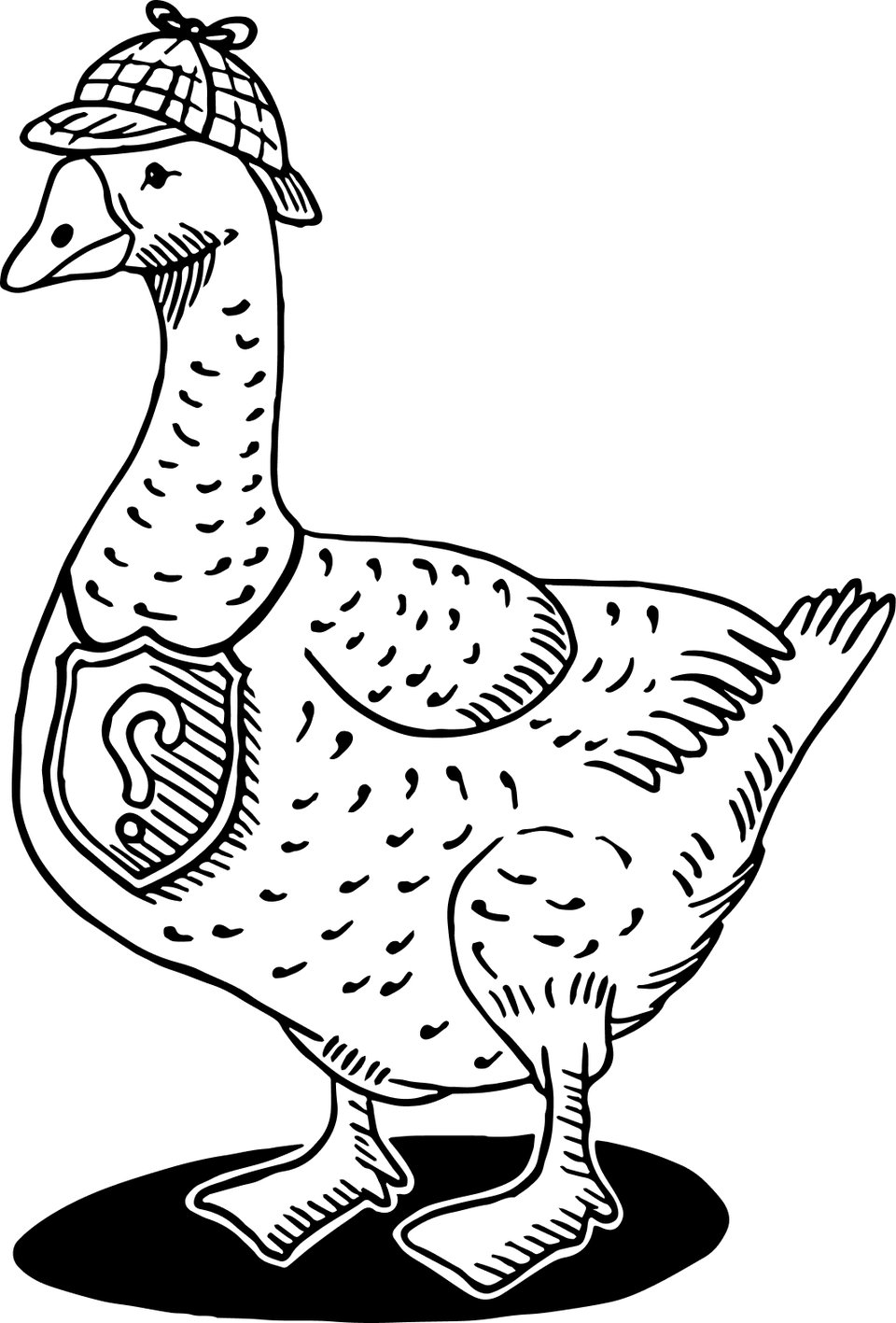
Start with two tones
The app takes a plain two-tone image. Black becomes the raised surface that carries ink, white becomes the channels that stay clean. A threshold decides which is which, picked automatically or set by hand, and the split can be inverted.
-
Relief
Build the block
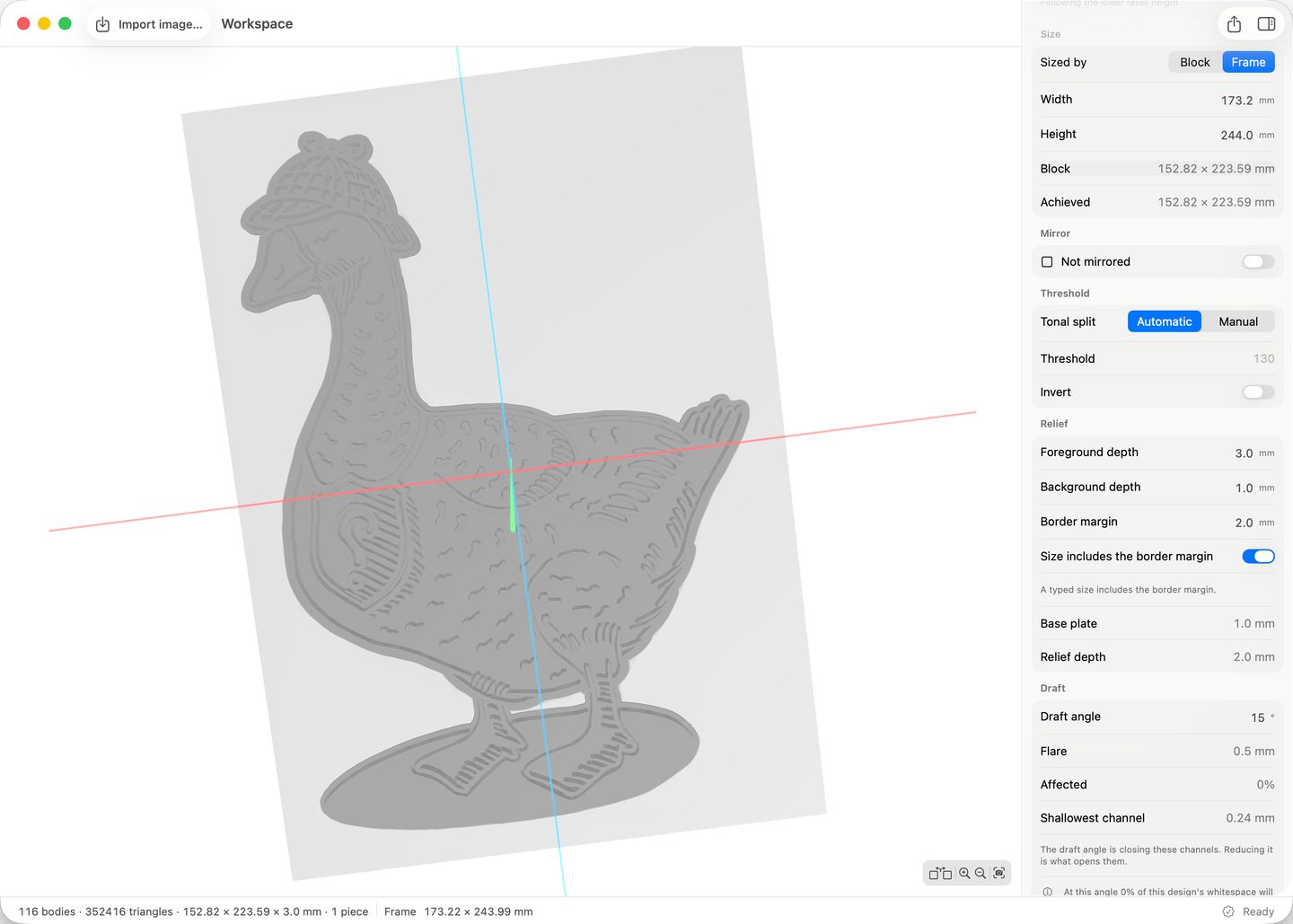
Drop the drawing in and the app traces it and builds the mesh. The parameters are the ones a printmaker would reach for: how high the ink-carrying surface stands over the background, how wide a border runs around the design, how big the block is in millimetres. Walls are drafted, so a thin line stands on a wider foot and survives an edition.
The viewport shows the mesh that will be exported, and keeps its viewpoint while the parameters change. Drafting has a cost: it can crowd narrow channels shut, and those whites then fill with ink. The app measures the channels on the built geometry, marks the ones at risk on the block, and leaves the decision to print with the printmaker.
-
3D print
Export and print
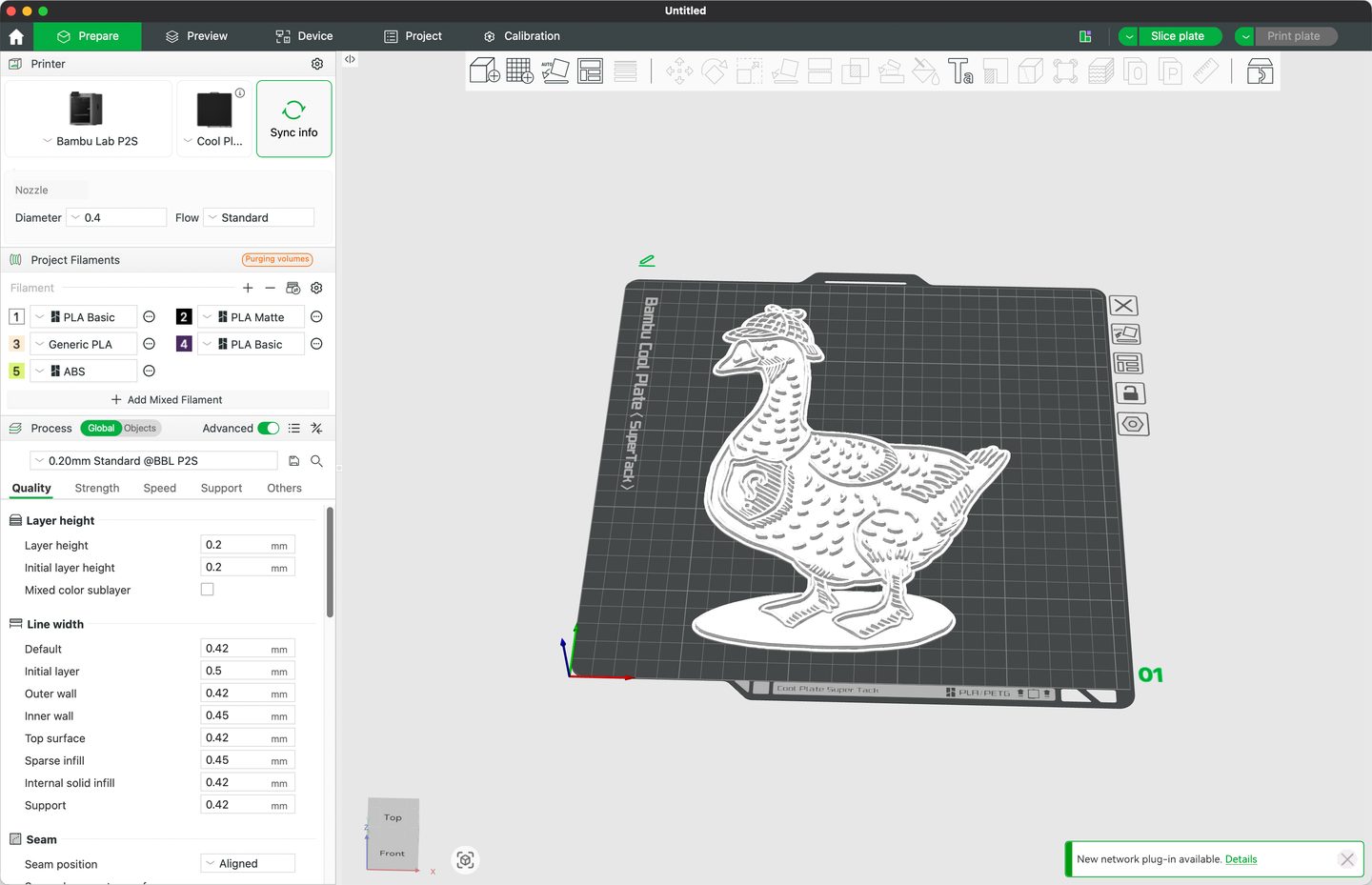
The export is a plain STL, so the slicer needs nothing special. The block can be mirrored on the way out, for designs where direction matters. A block bigger than the printer bed is cut into pieces along its own whitespace, so the seams fall where no ink is carried.
This is the step that replaces the carving. The printer runs on its own, and a second colour costs another print, not another evening.
-
Blocks
One block per colour, one frame for all
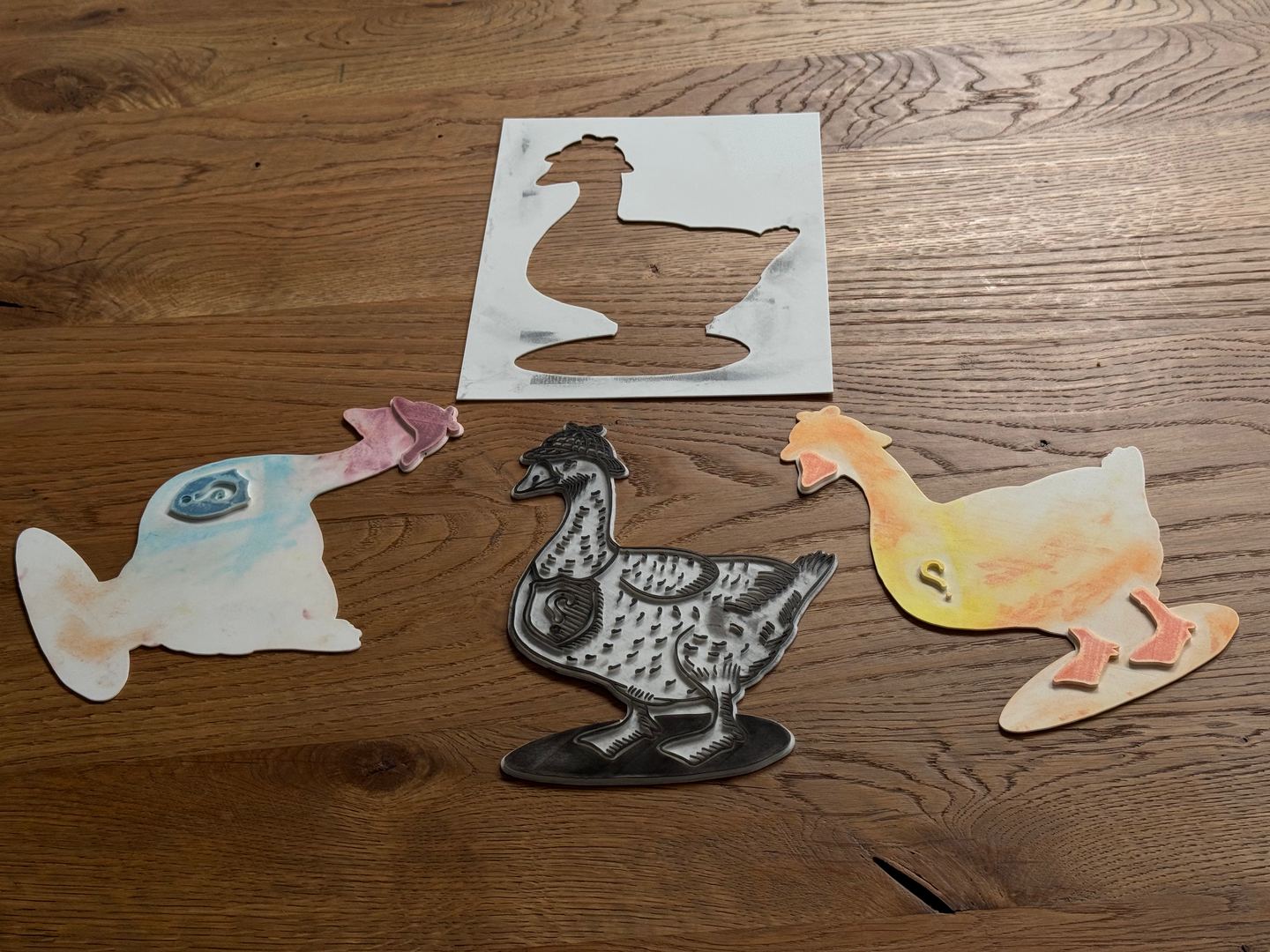
A multi-colour print is where carving by hand costs the most, and where registration goes wrong. Here every colour is a block of its own, built from its own drawing on the same outline. The app builds a frame to match: a second model, offset from the block by wall width and fit clearance. Every block drops into the same frame, so each colour lands where the last one did.
-
Ink
Roll out the colours
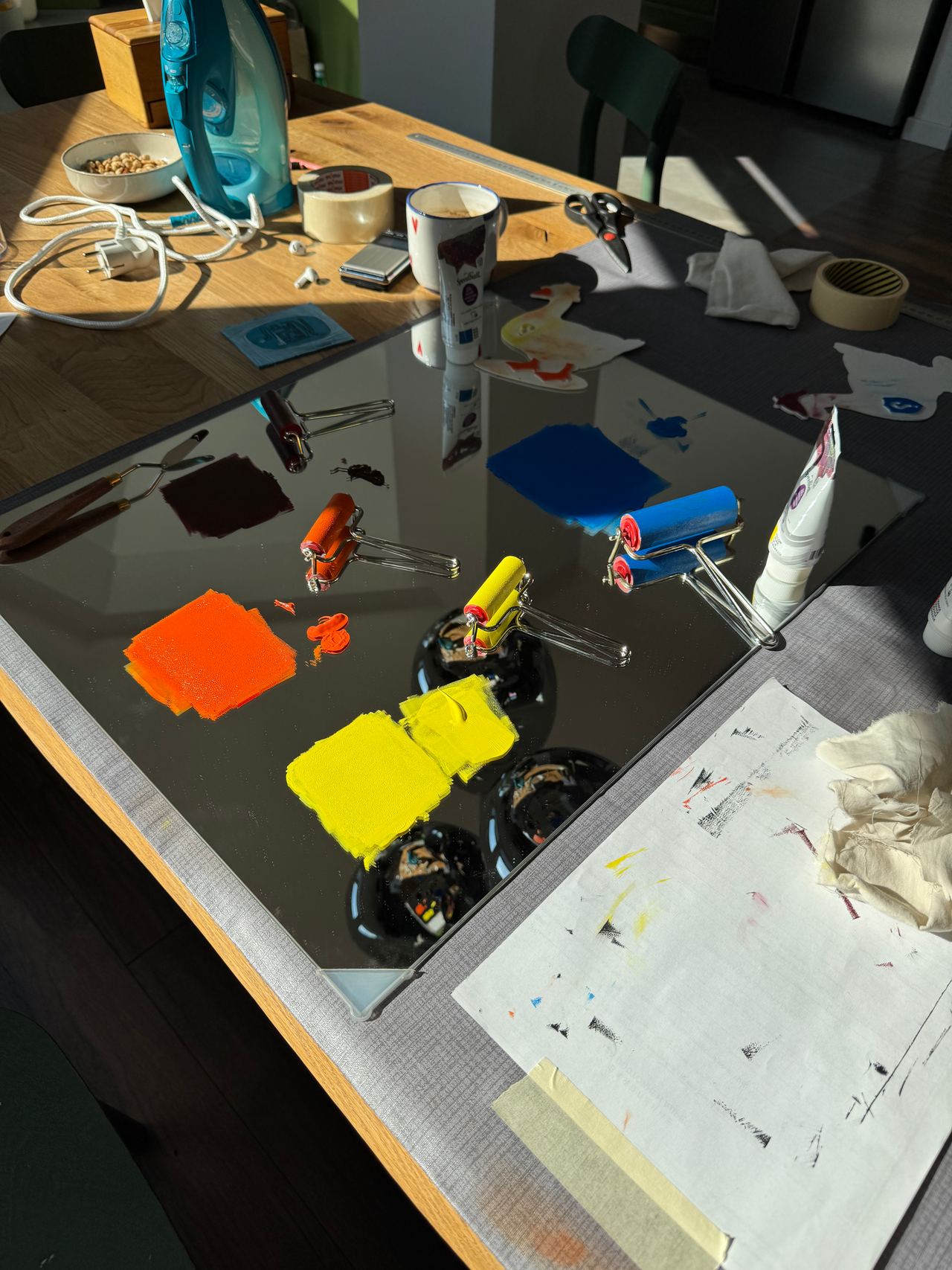
From here on it is printmaking as usual: ink rolled thin on a slab, then onto the block. It is also where the settings from the app get tested. The relief has to be deep enough to keep the roller off the background, and the channels open enough not to fill.
-
Print
Pull it, one colour at a time
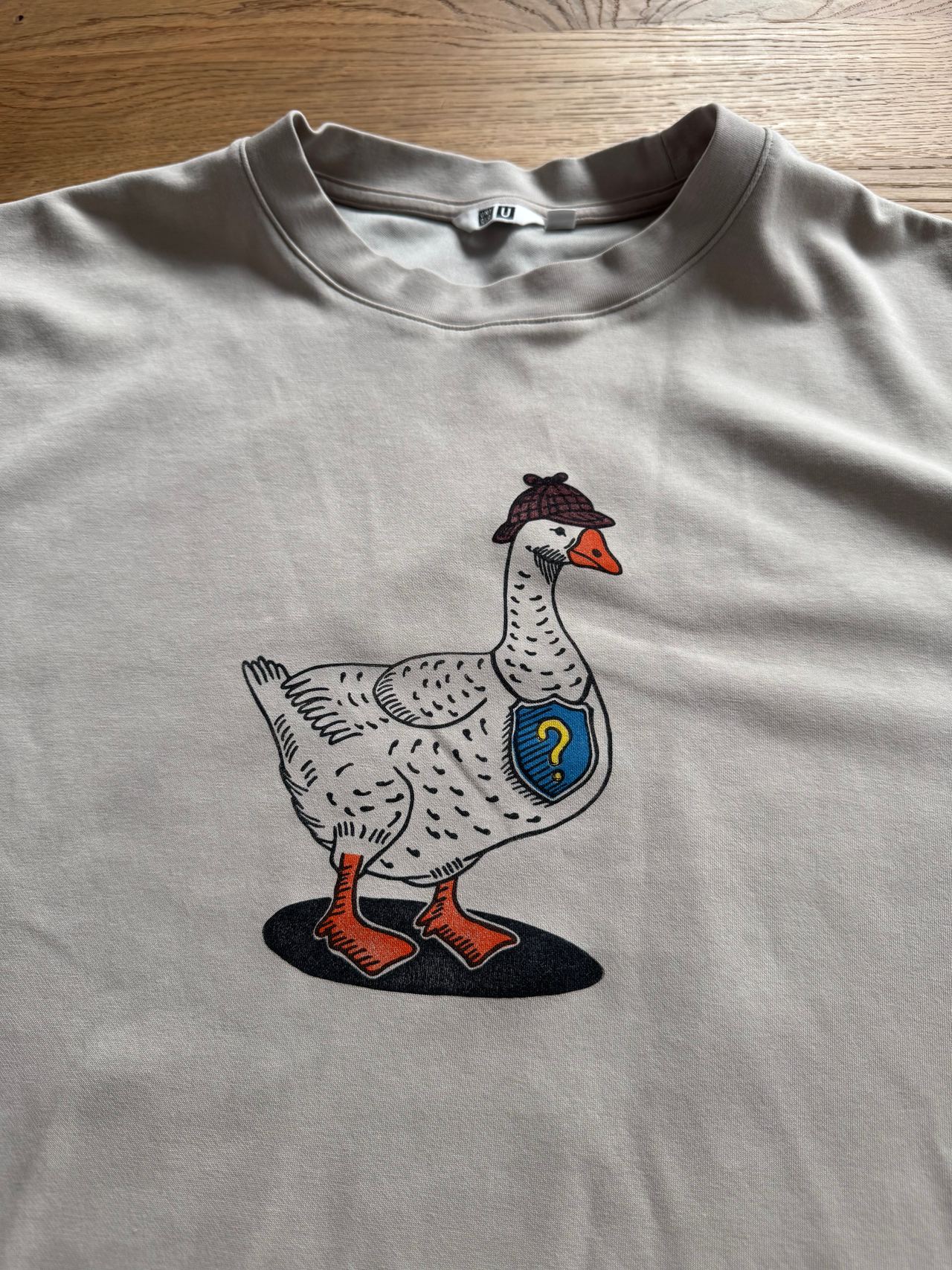
The frame stays where it is while the blocks change. Each block goes in, is pressed by hand and comes out, and the next colour lands in register. The same blocks print on paper and on cloth.
The carving is gone from the path. Between the idea and the print there is now the app, a slicer and a 3D printer.


How it is built
The app is the first real application built with Parlay. Each feature above started as a set of intents in Markdown, went through dialogs and specs, and came out as generated SwiftUI code with its own test suite. The relief workspace alone was forty-one files and a green suite in its first two days.
The geometry kernel is the one unit Parlay does not generate. It turns an image into a mesh in stages: tonal split, contour tracing, scaling to millimetres, relief construction, wall drafting, counterform construction and mesh emission, over vendored Clipper2 and earcut so that two exports of the same workspace produce identical bytes. It was built with Claude Code against its own spec and tests, and Parlay cites it as a declared unit rather than writing it.
What I learned
First, that Parlay can be used to build a fully working application. The app in the process above is not a demo. Every workspace in it, from the dropped image to the exported frame, came out of intents, dialogs and specs, and I print with it.
Second, that a real project with clear use cases finds the weak points of a tool. Places where Parlay's own validators disagreed with each other went into a findings log. Parlay evolved together with the app: what the project exposed became the backlog for Parlay's next release.
Third, that not everything has to fit the vocabulary. Parlay describes an interface in a closed set of Shows, Actions and Flows, and the geometry kernel cannot be described in those terms. It still fits the architecture: it is declared to Parlay as a unit with its own spec and tests, the generated code calls it, and the part Parlay cannot write ships inside the product Parlay built.
References
- Parlay, the toolkit the app was built with. parlay
- Bambu Studio, the slicer used for the blocks. github.com/bambulab/BambuStudio
- Clipper2, polygon clipping and offsetting. github.com/AngusJohnson/Clipper2
- earcut, polygon triangulation. github.com/mapbox/earcut